E-commerce Templates - OsCommerce Templates - Website templates - Best OSC Design - Ecommerce Template |
 |
 |
 |
 |
 |
 |
 |
 |
 |
 |
|
|

How to create a new link in flash
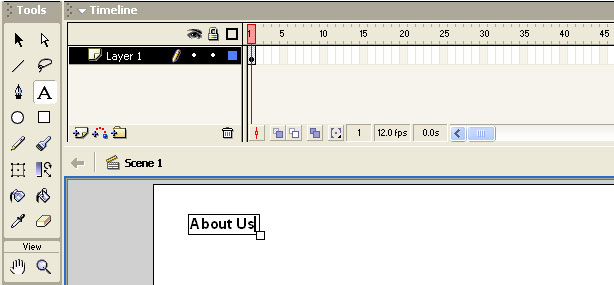
create a new layer, and select the text tool, then type the on the stage what ever you want the link should be, for an example : About Us, Services or any link.
now with the Arrow tool select the text (Link), and on the property bar you will find an area where you can directs the link to, for an example as shown below on the image, http://www.yahoo.com
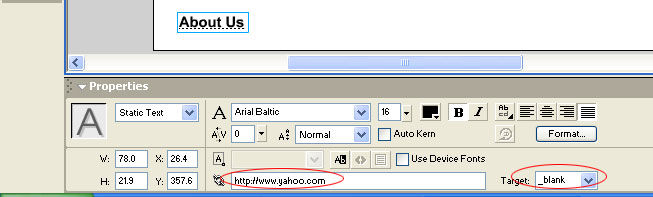
And set the Target as "_blank" to open the page in a blank window.
Its done. now press Ctrl+enter and see, the way link works. Oh yeah it works smoothly.
Advertise |Flash templates | Flash animated templates | Html templates | eCommerce templates | Links
Copyright © 2005-2013 Ecommerce TemplateAll rights
reserved.
We deliver the best osCommerce templates
& ecommerce templates on the
web!